Notebook - Note-taking & To-do is a versatile and user-friendly app that allows you to capture and organize your thoughts in a variety of ways. From writing text notes to creating checklists, recording voice memos, taking photos, scanning documents, and attaching files, Notebook - Note-taking & To-do has all the tools you need to stay productive and organized. With features like the ability to customize your notes, sync across devices, and share your ideas with others, Notebook - Note-taking & To-do is the perfect companion for students, professionals, and anyone looking to streamline their daily tasks and stay on top of their to-do lists. Whether you're planning a trip, jotting down creative ideas, or just need a handy tool for taking notes on the go, Notebook - Note-taking & To-do has you covered.
Features of Notebook - Note-taking & To-do:
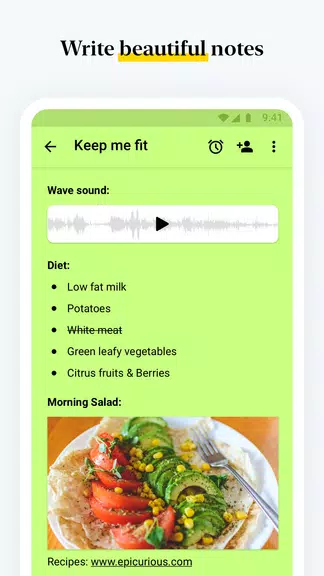
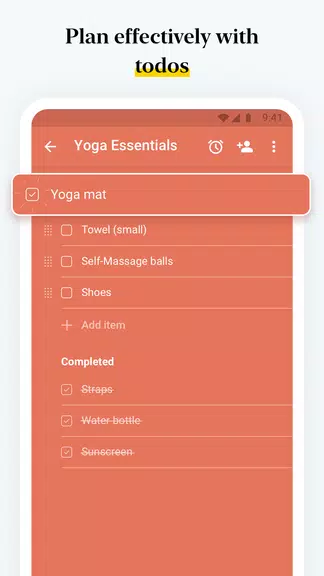
Versatile Note-taking Options: Notebook - Note-taking & To-do allows users to write text notes, add images, create checklists, record voice notes, capture photos, scan documents, and attach files, meeting all note-taking needs in one app.
Organizational Features: Users can organize notes into notebooks, create notecard stacks, reorder notes, move or copy notes between notebooks, search within notebooks, and secure notes with passwords or Touch ID.
Sync Across Devices: Notebook - Note-taking & To-do syncs notes to the cloud, allowing users to access and edit their notes from any device.
Intuitive Gestures: Notebook - Note-taking & To-do offers notable gestures like swiping for additional information, pinching to group notes, flicking to find notes, and folding grouped notes in landscape view.
Customization Options: Users can customize notes by changing colors, choosing notebook covers, viewing notes in grid or landscape style, and recording audio on any screen.
Sharing Features: Notebook - Note-taking & To-do provides various ways to share notes via email, export notes as PDFs, and use Google Assistant integration to create notes.
FAQs of Notebook - Note-taking & To-do:
Is Notebook - Note-taking & To-do available on all devices?
Yes, Notebook - Note-taking & To-do can be accessed on devices such as smartphones, tablets, computers, and browsers, allowing users to sync their notes seamlessly.
Can I secure my notes in Notebook - Note-taking & To-do?
Yes, users can lock their notes with passwords of their choice or use Touch ID for added security.
How can I share my notes with others?
You can share your notes through email, export them as PDFs, or utilize Google Cloud Print for printing.
Are there any exclusive features for Android users?
Yes, Android users can benefit from features like Notebook - Note-taking & To-do Widget, Multi Window Support, Google Assistant Integration, and Launcher Shortcuts.
Can Notebook - Note-taking & To-do be used for educational purposes?
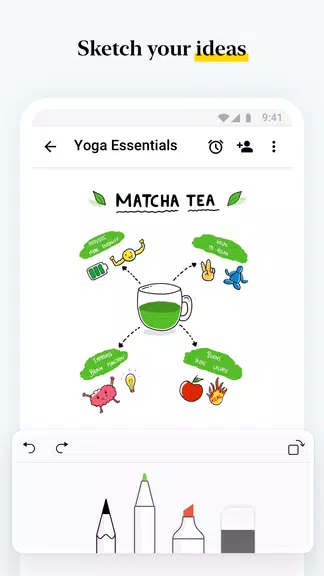
Notebook - Note-taking & To-do offers features like Audio Card, Sketch Card, and Web Clipper, making it ideal for students to record lectures, take handwritten notes, and organize study materials.
Conclusion:
Notebook - Note-taking & To-do is the ultimate note-taking and organization app that caters to a wide range of user needs. With versatile note-taking options, robust organizational features, seamless sync across devices, intuitive gestures, customizable settings, and convenient sharing capabilities, Notebook - Note-taking & To-do stands out as a comprehensive and user-friendly app. Whether you're a student, a professional, or simply looking to stay organized in your day-to-day life, Notebook - Note-taking & To-do offers a reliable and efficient solution for all your note-taking requirements. Download Notebook - Note-taking & To-do now and elevate your note-taking experience to a whole new level.